Sản phẩm
Giá
Data for AI
Giải pháp
Tài nguyên
Vi
Đăng nhập
proxysale
Trang chủ
Hướng dẫn người dùng
Chúng tôi có thể cung cấp cho bạn những sự giúp đỡ nào?
Tất cả thông tin về sản phẩm và thanh toán mà bạn cần biết.
Tìm kiếm
Tổng quát
PROXIES

Basic Knowledge

Add Proxy Authentication AccountProxy Verification Authorized IPResetting the PasswordRegistration and Login

Residential Proxy

API ExtractionAccount and Password Extraction

Unlimited Residential Proxy

API ExtractionAccount and Password Extraction

Static Residential Proxy

Account and Password Extraction

Static Data Center Proxy

Account and Password Extraction

Long Acting ISP Proxy

Account and Password Extraction
THIRD-PARTY TOOL INTEGRATION

Operating System Setting

Android ConfigurationiOS ConfigurationWindows Configuration

Browser Setting

Firefox Configuration TutorialGoogle Configuration Tutorial

Antidetect Browser

How to set up and use Proxies wiBit Configuration Tutorial

Proxy Tools

Proxifier

Guide to Adding Proxy Authentication Account

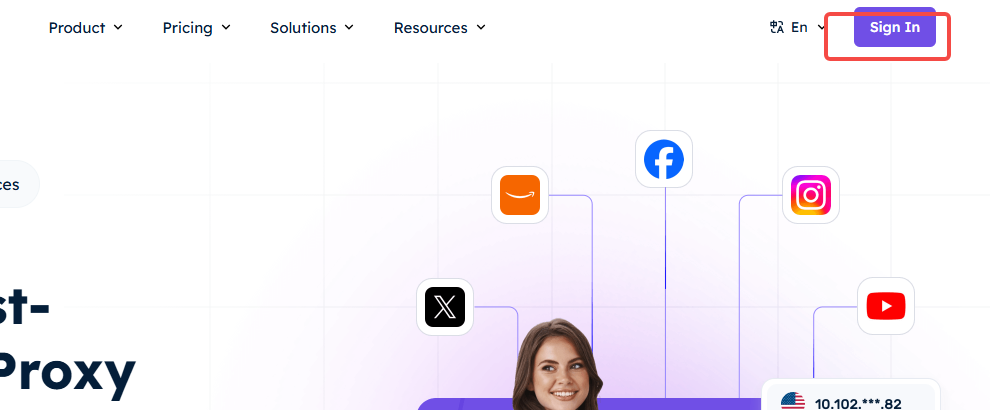
1、Enter the official website of ProxySale and click "Sign In" in the upper right corner or click here.


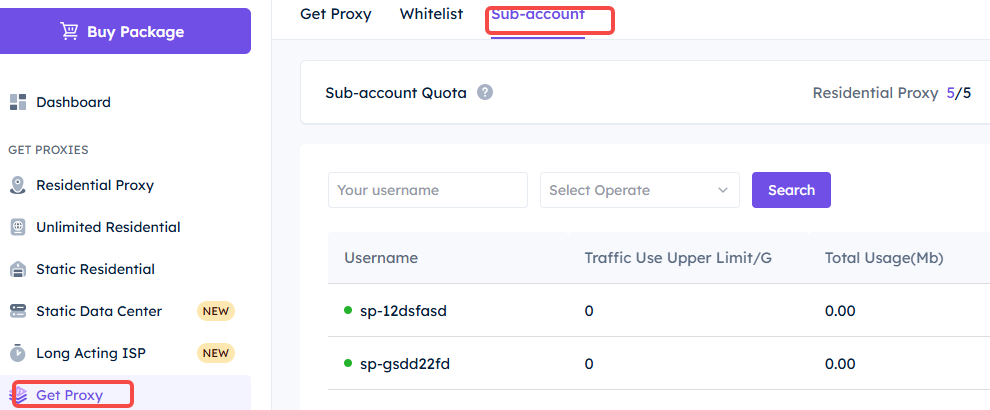
2、After logging in, go to the dashboard, click on "Get Proxy" on the left side, and then click on "Sub-account" at the top to enter the sub-account management interface.


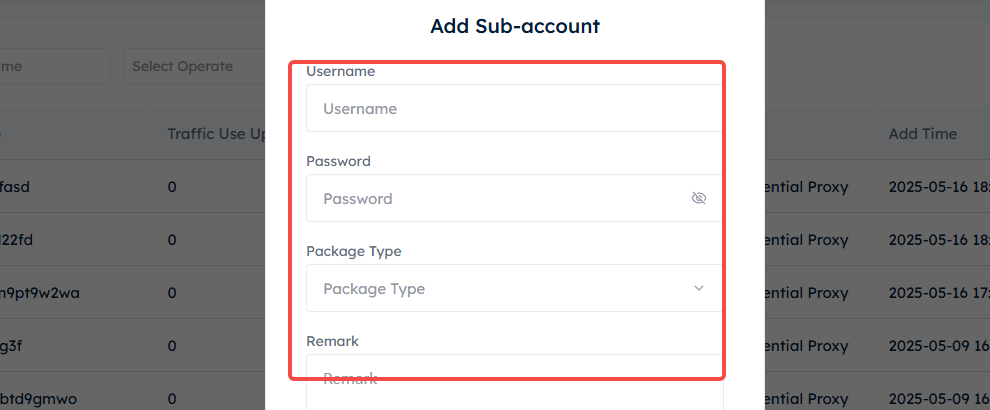
3、Click "Add Sub-account" at the upper right, and a pop-up window for filling in information will appear. Fill in the "Username" and "Password" of the sub-account in the pop-up window. (Note: The proxy account name cannot be purely numeric, and the password length should be between 6 and 15 digits.) Then select the package type for the sub-account you want to add. Take "Residential Proxy" as an example. After setting it up, click "Confirm".


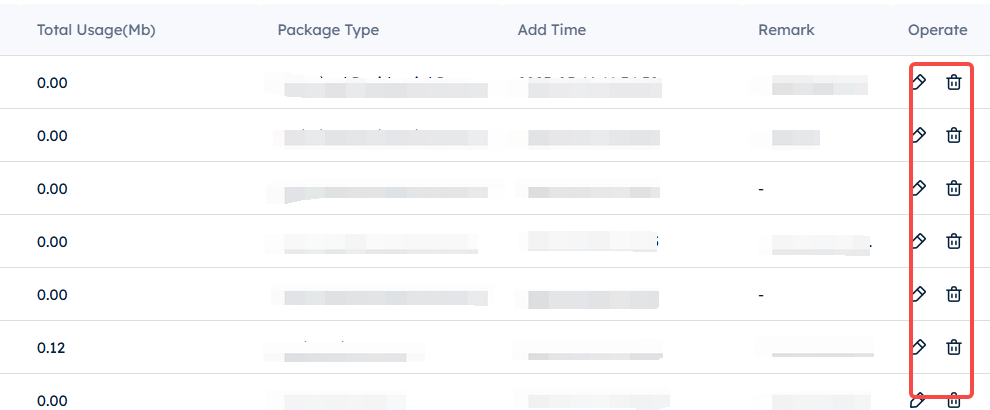
4、In this way, you have successfully added a new sub-account. On the right side, you can edit it and set the traffic limit.



Vi
GET IN TOUCH
[email protected]
Online Support
Live
Vi
Sản phẩm
Residential-ProxyStatic ResidentialUnlimited ResidentialStatic Datacenter
New
Long-Acting ISP
New
Tài nguyên
FAQHướng dẫn người dùngBlogVị tríMã quốc gia
Các ví dụ
Ad VerificationWeb ScrapingBảo vệ thương hiệuNghiên cứu thị trườngSERP & SEO
Toàn bộ
Chương trình affiliateProxy miễn phíPhần mềm kiểm tra đại lýdaydayDựa vào phần mềm đại lý cung cấp bởi ISP
proxysaleMxFiber LLC
proxysale30 N Gould St Ste R, Sheridan, WY 82801
Chính sách bảo mật thông tin cá nhân
Điều khoản dịch vụ
Chính sách hoàn tiền
Do lý do chính sách, dịch vụ này không thể sử dụng trên đất nước Trung Quốc. Xin thông cảm!
proxysale